Advanced Rank Tracking: 9 Capabilities That Separate Real Tools From Entry-Level Trackers
Advanced rank tracking for agencies: score any tracker against 9 capabilities — multi-client workspaces, refresh frequency, AI-answer coverage, and cost at scale.
Intro
In a single 30-day window, the phrase "advanced rank tracking" drew 625 impressions on alef.ink and "advanced rank tracker" drew 401. Both earned zero clicks. The searches are happening; the definition is not. Advanced rank tracking means the operational capability to monitor rankings across many client accounts, devices, locations, and AI answer surfaces without the workflow collapsing under its own weight. That distinction matters because ChatGPT's crawler issues roughly 3.6 times more requests to websites than Googlebot, per Search Engine Journal's crawl analysis. A tracker that reads only Google's blue links measures a shrinking share of where visibility is decided.
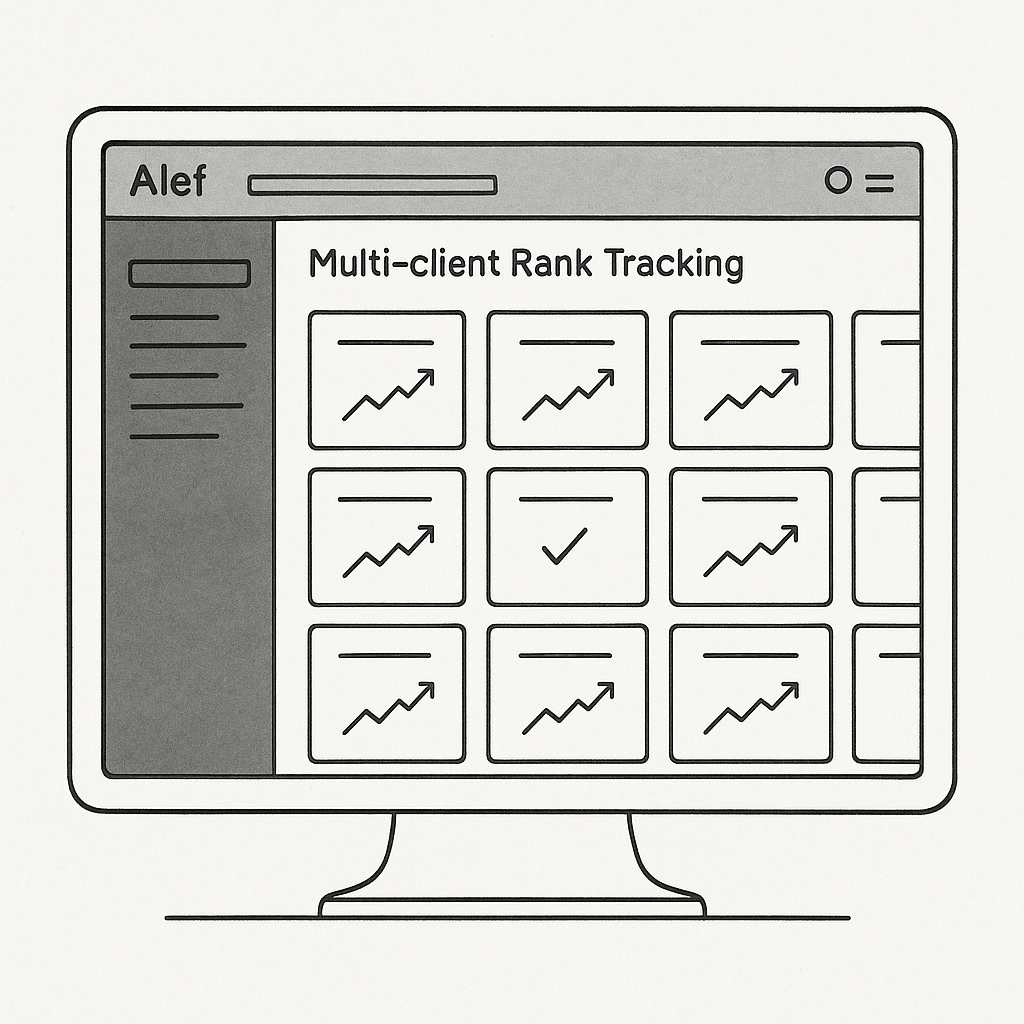
This guide is a scoring framework, not a tool roundup. Nine capabilities predict whether a tracker still functions at 25 clients; everything else is packaging. Alef, an AI visibility engine that tracks rankings across Google and AI answer engines inside one multi-project workspace, built this framework from the multi-client operational layer rather than the feature list. For the tactical layer — geo segmentation, rank-to-traffic correlation — see advanced rank tracking tips beyond the basics.
When You Need Advanced Rank Tracking
Basic rank tracking breaks quietly. The first signal is usually operational: reporting consumes more hours than analysis, and the monthly deck becomes a copy-paste exercise rather than a source of insight. The second is a client question that a position column cannot answer — why rankings moved while organic traffic stayed flat, or why the same query reports different positions across three cities for a multi-location business.
At roughly 25 client accounts, per-client keyword lists, locations, and reporting cadences multiply past what spreadsheets and manual checks can reconcile. A third trigger is invisible in traditional SERPs: competitors appear in ChatGPT or Perplexity answers while the client is absent, a visibility loss that never registers as a ranking drop. The fourth is click behavior. Pew Research Center found that click-through rates fell from 15% to 8% when an AI summary appeared, so a position-one ranking no longer guarantees the traffic it once did.
Prerequisites are modest: intermediate SEO knowledge, roughly 4–6 hours of initial setup across ten clients, then 1–2 hours weekly for maintenance and reporting. A practical walkthrough of rank tracking setup covers the baseline configuration, and managing SEO performance across multiple clients addresses the agency-specific layer. The cost of delay is commercial: agencies reporting only blue-link positions cannot defend retainers when clients ask about AI visibility.
Steps: The 9 Capabilities to Score Any Rank Tracker Against
The framework below is built to be run as an audit, not read as a brochure. Each of the nine capabilities is scored against a candidate tool using the same three questions: does the capability exist, how deep does it go, and what does it cost once the agency passes 25 client accounts. The output is a scorecard that predicts whether a tracker survives the second year of an agency relationship or gets abandoned in month four.
Prerequisites Before Running the Audit
Three inputs are required before the first capability can be scored.
- Intermediate SEO knowledge. The evaluator needs to distinguish a canonical URL from a ranking URL, understand why a position 3 result with a featured snippet behaves differently from a position 3 result without one, and read a SERP feature layout without assistance. Without this baseline, several of the nine capabilities below will look identical when they are not.
- A working list of client domains and target markets. Every domain on the list should be paired with its primary target locations and its two or three most relevant competitors. A tracker that handles one market well can still fail on a client operating in six metropolitan areas, and the only way to detect that is to test against real accounts rather than demo data.
- Roughly two to three hours for the full audit. The nine capabilities are sequential in cost, not in difficulty. Steps 1 through 3 typically consume half the time because they require configuring test projects. Steps 4 through 9 move faster once the workspace is populated, because each subsequent capability is scored against data the earlier steps have already generated.
A trial account on the candidate tool is assumed throughout. Scoring a tracker from a pricing page or a sales deck produces a feature list; scoring it from a configured workspace produces an operational verdict.
Step 1: Score Multi-Client Workspace Architecture
The first capability separates trackers that were designed for agencies from trackers that were designed for a single site and later marketed to agencies.
Score the candidate tool on whether each client exists as an isolated project with its own keyword set, its own location targets, and its own competitor list — or whether every client's keywords collapse into one flat list that has to be filtered manually. The distinction sounds administrative until the agency reaches 15 clients and the flat list crosses 4,000 keywords. At that point, a single misapplied filter can attribute one client's ranking movement to another client's report.
Three questions determine the score:
- Is project isolation real? Adding or removing a keyword for Client A must not alter the keyword count, cost, or reporting for Client B. Test this directly by adding 50 keywords to one project and confirming the other projects' dashboards are unchanged.
- How many projects does the entry tier allow? A tracker that permits three projects before overage pricing begins is a single-client tool with a multi-client label. The relevant number is the project count included at the price point an agency would actually pay, not the maximum the platform supports.
- Do locations and competitors live inside the project? A client targeting Dallas, Austin, and Houston should carry those three locations as project-level settings, not as a naming convention applied to keyword labels.
The failure mode here is subtle. A tracker with flat keyword lists will pass a demo with two clients and fail at 20, and the failure surfaces as reporting errors rather than as missing features — which is why this capability is scored first.
Step 2: Distinguish Daily Versus On-Demand Refresh
Refresh cadence is where pricing models and actual utility diverge most sharply.
Score the candidate on two separate axes. The first is scheduled refresh: does the tool crawl the full keyword set daily, weekly, or on a tier-dependent schedule? The second is on-demand refresh: can a specific project be re-checked within hours of a content push, a technical fix, or a confirmed core update?
Both matter, and they matter for different reasons. Daily scheduled crawls establish the baseline trend line that makes month-over-month reporting defensible. On-demand re-checks answer the question an agency actually gets asked — "we published the new service page on Tuesday, where are we now?" A tracker with daily-only refresh forces a 24-hour wait on every verification, which is tolerable. A tracker with weekly-only refresh and no on-demand option makes post-launch verification impossible.
It is worth being precise about why Google Search Console cannot substitute for either. Search Console data lags by roughly three days, and the position metric it reports is an impression-weighted average across all queries and all users who saw the result — not the rank a specific searcher saw for a specific query. Google's own documentation on what impressions, position, and clicks represent confirms that position is averaged, and the Search Console performance data deep dive explains how filtering and thresholds further shape what appears in the interface. A tracker that reports an exact rank for an exact query at an exact location is measuring something Search Console is not designed to measure.
Score this step by checking whether the tool's refresh settings are exposed per project or only at the account level. Per-project control is the difference between running a 40-keyword client on daily refresh and a 4,000-keyword client on a cadence the agency can afford.
Step 3: Score Device and Location Granularity
Two clients in the same industry can see entirely different top-10 results, and the reason is usually location rather than content.
Score the tool on whether mobile and desktop rankings are reported separately. A blended device metric hides the case where a page ranks 4 on desktop and 14 on mobile — a gap that matters enormously for any client whose traffic skews mobile, which describes most local-service and e-commerce accounts.
Then score location depth. Country-level targeting is the floor. State or region targeting is the middle. City-level targeting, and ideally postal-code or ZIP-level targeting, is what local-intent queries actually require. A query like "emergency plumber" produces a different top-10 in every metro area because Google's local results are proximity-weighted, and a tracker that averages those metros into a single national position reports a number that no searcher ever saw.
Three verification checks:
- Device separation: confirm mobile and desktop columns exist as distinct data, not as a toggle that re-renders the same underlying number.
- Location granularity: confirm the tool accepts city-level targets and reports per-location positions rather than a single aggregate.
- Location cost behavior: confirm whether each additional location multiplies the keyword count. A tool that charges per keyword per location turns a 500-keyword, five-city client into a 2,500-unit billing event, which changes the economics of the whole engagement.
For agencies running local SEO at volume, this capability often determines the tool choice more than any other single factor.
Step 4: Score AI-Answer Coverage Alongside SERP Positions
This is the capability that most cleanly separates current-generation trackers from legacy ones, and it is the one most likely to be missing entirely from a candidate's feature list.
Score the tool on whether it tracks brand presence inside AI-generated answers — ChatGPT, Perplexity, Gemini, Copilot, and Google AI Overviews — in addition to blue-link positions. The two data sets answer different questions. SERP position tells an agency where a URL ranks. AI-answer coverage tells an agency whether the brand is named, described accurately, and cited as a source when a buyer asks a direct question.
The commercial case for tracking both is now well documented. A Pew Research Center study found that Google users are less likely to click on links when an AI summary appears in the results, and a field study reported by Search Engine Journal measured a 38% reduction in organic clicks on queries where AI Overviews appeared. A rank tracker that reports position 2 for a query now answered by an AI Overview is reporting a position that fewer users will ever act on.
Alef's Prompt Tracker addresses this directly: it runs structured buyer questions through AI engines and measures brand visibility, mention frequency, and source citations rather than only link position. For agencies, the practical value is a second reporting dimension that clients increasingly ask about and that most legacy trackers cannot produce at all. The distinction between the two measurement layers is covered in more depth in AI search visibility versus Google rankings and what each one tracks.
Score this step strictly. A tool that claims AI coverage but only reports whether the brand appears, without citation counts or per-engine breakdowns, scores lower than a tool that reports mentions, citations, and the specific sources the AI engine drew from.
Step 5: Score Competitor Displacement Tracking
A ranking drop is only actionable when the agency knows who absorbed the position.
Score the tool on whether it identifies the specific competitor that took the position the client lost. A dashboard showing "position 4 to position 7" is a symptom report. A dashboard showing "position 4 to position 7, displaced by competitor X" is a competitive intelligence input that shapes the next content brief.
The second half of this capability is AI-side share of voice. Score whether the tool tracks competitor mention rates inside AI answers, not only inside SERPs. If a client's brand appears in 30% of relevant AI answers and a competitor appears in 70%, that gap is a strategic finding that no traditional position report surfaces.
Three checks determine the score:
- Named displacement: the tool identifies which competitor gained the position, not just that the position was lost.
- Competitor set flexibility: competitors can be added or removed per project without rebuilding the keyword set.
- AI share of voice: competitor mention and citation rates are tracked across AI engines, not only in organic results.
This capability is what converts a rank tracker from a reporting tool into a competitive positioning tool, and agencies that bill for strategy rather than reporting tend to weight it heavily.
Step 6: Score Keyword Cohort Grouping
Individual keyword movement is noise. Cohort movement is signal.
Score the tool on whether keywords can be grouped into cohorts and whether movement is reported at the group level. The four cohort dimensions that matter most for agency work are:
- Brand versus non-brand. Branded queries behave differently from discovery queries, and blending them into one average position produces a number that misrepresents both.
- Funnel stage. Awareness, consideration, and decision-stage keywords move for different reasons and respond to different content types.
- Service line. A client offering six services needs six cohorts, because a content investment in one service line should not be evaluated against the average of all six.
- Location. For multi-market clients, a cohort per market reveals which locations are gaining and which are flat.
A tracker that supports cohort grouping lets an agency report "non-brand decision-stage keywords improved 4.2 positions this month" instead of "average position improved 1.1." The first statement justifies budget. The second invites a cancellation conversation.
Score this capability by checking whether cohorts are defined once and persist across reporting periods, or whether they must be rebuilt in every export. Persistent cohorts are the difference between a grouping feature and a grouping workflow.
Step 7: Score API and Dashboard Output
Rank data that cannot leave the tool is rank data the agency re-enters by hand.
Score the tool on whether it exposes an API that pulls position, device, location, and AI-answer data into the agency's own reporting stack. The relevant test is not whether an API exists but whether it returns the fields the agency's dashboards actually need — per-keyword position, per-location breakdown, competitor positions, and timestamped refresh data. An API that returns only aggregate position averages forces the agency back into manual exports.
Then score the client-facing output. A white-label dashboard should be readable by a client without a walkthrough: clear labeling, visible date ranges, and a layout that answers "how are we doing" in the first screen. If a client needs a call to understand the report, the report is not doing its job.
Two additional checks:
- Export formats: CSV, Google Sheets, and Looker Studio connectors cover the reporting stacks most agencies run. A tool limited to PDF export adds manual work to every reporting cycle.
- Scheduled delivery: automated report delivery to client stakeholders removes a recurring task from the account manager's calendar, which compounds across 25 accounts.
For agencies comparing platforms on total cost rather than sticker price, this capability often determines whether the tracker replaces a reporting tool or adds one. A broader look at how pricing and output interact across platforms appears in the comparison of rank tracking software on price.
Step 8: Score Permission Models
At 25 clients, more than one person touches the data, and not everyone should see everything.
Score the tool on whether permissions can be scoped by project, by role, and by client. Three permission patterns matter in agency operations:
- Role-based access: account managers, analysts, and contractors should not all hold identical permissions. An analyst needs read and export access; a contractor working on one client should not see the other 24.
- Client-level access: if the agency grants clients direct dashboard access, that access must be confined to their own project. A permission model that only supports account-wide roles cannot offer client logins safely.
- Audit visibility: the tool should record who changed keyword sets, competitor lists, or refresh settings, because unexplained changes in a client report are expensive to untangle.
A tracker with a single admin role and a single viewer role will function at five clients and create real risk at 25. This capability rarely appears on comparison pages, which is precisely why it is worth testing during the trial rather than discovering after onboarding.
Step 9: Score Cost Behavior at Scale
The final capability is not a feature. It is the shape of the pricing curve.
Score the tool on how cost responds to three variables: keyword count, location count, and project count. The critical question is whether the pricing model multiplies these variables together or prices them independently. A tracker charging per keyword per location per project can produce a bill that grows cubically as an agency adds clients, markets, and keywords simultaneously — which is exactly what happens in a healthy agency.
Three checks determine the score:
- Overage pricing: confirm the per-unit cost once the plan limit is exceeded, not just the included allowance.
- Location multiplication: confirm whether adding a fifth city to a client multiplies that client's keyword billing by five.
- Refresh cost: confirm whether daily refresh is included or metered, because a metered refresh model penalizes the agencies that use the tool most actively.
The practical test is to model the bill at 10, 25, and 50 clients using realistic keyword and location counts, then compare that curve against the value the tool delivers. A tracker that costs twice as much at 25 clients but eliminates a manual reporting workflow may still be the cheaper option. A tracker that costs twice as much and requires the same manual work is a line item waiting to be cut.
Alef runs rank tracking and AI-answer tracking inside a single multi-project workspace, which means the cost model does not require a separate AI-visibility subscription layered on top of a traditional rank tracker. For agencies scoring candidates against all nine capabilities, that consolidation is itself a cost-behavior finding — the tenth line item that never appears on the invoice.
Common Mistakes When Evaluating Advanced Rank Tracking
Most evaluation failures happen before a contract is signed, and they share a common root: judging a tracker on its marketing surface rather than its behavior at real account volume. The six errors below account for the majority of expensive mid-contract migrations.
The Six Errors and How to Avoid Them
- Buying on entry-tier price. The cheapest plan is priced for a handful of keywords, and the invoice at 25 clients is set by the overage model, not the headline number. Model the bill at real volume before the trial ends.
- Treating Google Search Console as a rank tracker. GSC reports an impression-weighted average position across devices and locations, delayed by roughly three days, not a live rank (Google Search Console Help). Use GSC to validate a tracker's accuracy, not to replace it.
- Averaging mobile and desktop. A blended position hides the fact that one device is winning while the other is losing. Require per-device reporting in the tool's default view.
- Ignoring AI answers because they carry no link. A large share of AI brand mentions appear without a hyperlink, and AI summaries reduce click-through behavior (Pew Research Center), so link-based reporting undercounts them. Score mention and citation tracking separately from referral traffic.
- Tracking keywords no one grouped. A flat list of 500 keywords produces movement nobody can act on. Require cohort grouping before the keyword list is imported.
- Skipping the permission test. Agencies discover seat limitations only when a client requests dashboard access. Test client-level logins during the trial, not after onboarding.
The same discipline applies to adjacent purchases; the criteria in this AI SEO platform evaluation framework transfer directly to rank tracking.
Summary Table: The 9 Capabilities and What Each One Buys
The nine capabilities below form a scoring rubric an agency can apply to any vendor before signing. Each row pairs the capability with the question that exposes whether it is genuinely built or merely listed, the minimum acceptable answer, and the operational outcome it produces. For a side-by-side view of where common platforms fall short on these same dimensions, the breakdown of what each rank tracking tool misses complements this rubric.
| Capability | Question to Ask the Vendor | Minimum Acceptable Answer | Outcome It Produces |
|---|---|---|---|
| Multi-client workspace architecture | Can 25 client domains live in one account without separate logins or billing entities? | One workspace, unlimited projects, per-project keyword and competitor limits | Client work scales without account sprawl |
| Refresh frequency | Is tracking scheduled, and can a URL be re-checked on demand? | Scheduled daily plus on-demand re-check | Movement detected within 24 hours of a content push |
| Device and location granularity | Can rankings be pulled per device type and per city? | Desktop and mobile split, city or ZIP-level targeting | Defensible multi-location client reporting |
| AI-answer coverage | Does it track generative surfaces alongside blue links? | Tracks ChatGPT, Perplexity, Gemini, Copilot, and AI Overviews | Visibility measured on both surfaces |
| Competitor displacement | Does it show which competitor took the position lost? | Named competitor movement per keyword, with share-of-voice trend | Churn explained, not just observed |
| Keyword cohort grouping | Can keywords be tagged into client-defined groups? | Custom tags with cohort-level aggregate position | Reporting by intent or funnel stage, not flat lists |
| API and dashboard output | Can data flow into Looker Studio or a client portal? | Documented REST API plus scheduled exports | White-label reporting without manual pulls |
| Permission models | Can a client see their project without seeing others? | Role-based access scoped per project | Safe client logins, no cross-account exposure |
| Cost behavior at scale | What does the invoice look like at 25 clients and 5,000 keywords? | Published per-project pricing with a modeled 25-client invoice | No surprise overage at scale |
A tracker that clears all nine rows is not merely feature-rich; it is operationally durable. The distinction matters because AI summaries are already suppressing click-through on traditional results — Pew Research Center found Google users click links less often when an AI summary appears (Pew Research Center), and a field study measured a 38% drop in organic clicks where AI Overviews appeared (Search Engine Journal). A tracker that reports only blue-link positions is answering half the question.
Conclusion
"Advanced" is a capability claim, not a feature count. The nine capabilities above decide whether a rank tracker survives at 25 client accounts, and two disqualify legacy tools most often: AI-answer coverage alongside SERP positions, and cost behavior at scale. With AI summaries reducing click-through on ranked links (Pew Research Center), position data alone understates visibility.
Having scored a current tool against each capability, the lowest-scoring row is now identifiable. For the metric definitions behind those scores, the rank tracking guide to metrics that matter covers position, impressions, and click data.
Key takeaways - Nine capabilities, not feature counts, predict survival at 25 clients. - AI-answer coverage and cost behavior at scale disqualify most legacy trackers. - Score the current tool; the weakest row is the migration case. - Multi-client workspace architecture is the foundation the rest depend on.
Frequently Asked Questions
What is advanced rank tracking?
Advanced rank tracking measures search positions across devices, locations, and AI answer engines, organized by client workspace, rather than logging a single national Google position per keyword. A conventional tracker answers one question: where does this URL rank for this term? An advanced rank tracker answers a portfolio of questions simultaneously — mobile versus desktop placement, city-level visibility, presence inside AI Overviews and AI-generated answers, and how all of that shifts between reporting cycles. For agencies, the distinction is architectural, not cosmetic. The data model has to support separate projects, separate keyword sets, and separate location profiles before any of the granularity becomes usable across a client roster.
How often should rank tracking refresh?
Daily refresh is the practical baseline for scheduled monitoring, with on-demand re-checks triggered after content pushes, technical fixes, or confirmed core updates. The reason on-demand matters is timing: waiting up to 24 hours to see whether a title rewrite moved a keyword wastes a full optimization cycle, while a manual re-check confirms the change within minutes. Google Search Console cannot substitute for this cadence. Its performance data lags by roughly two to three days and aggregates rather than isolates individual positions, as documented in Google's own explanation of performance data limits. Daily scheduled tracking plus on-demand verification covers both the monitoring and the diagnostic use cases.
How accurate are rank trackers?
Reputable trackers typically land within roughly one to two positions of a live manual check, but no tool reports a single "true" rank because Google varies results by location, device, personalization, and even query phrasing. Two trackers checking the same keyword from the same city on the same day can legitimately disagree by several positions without either being broken. This is why validation against Search Console position data matters — not to crown one number as correct, but to confirm that the tracker's directional movement matches the impressions and clicks the client actually receives.
Can one tracker handle multiple clients?
Only if it uses per-client project architecture with separate keyword sets, location profiles, and permission scopes. Flat keyword lists — where every term lives in one undifferentiated pool — tend to break somewhere around the fifth to tenth account, when overlapping keywords across clients make reporting ambiguous and access control impossible. The failure is rarely dramatic; it shows up as a report that includes a competitor's keyword, or a freelancer who can see every account because the tool only offers one access level. Multi-client rank tracking is a data-model question before it is a pricing question.
Do agencies need AI-answer tracking in a rank tracker?
Yes, because AI Overviews suppress organic click-through even when a client holds position one. Pew Research Center found that click rates on links dropped from 15% to 8% when an AI summary appeared above the results (Pew Research Center, July 2025), and a separate field study measured a 38% reduction in organic clicks (Search Engine Journal). A competitor can therefore appear inside an AI answer while the client occupies the top blue link — and a tracker that only counts positions will never surface that loss. Understanding how AI visibility tracking measures presence beyond positions clarifies what the additional layer actually captures, including the brand mentions that appear without any link.
What does advanced rank tracking cost at 25 clients?
The invoice at 25 clients is determined by the pricing model and its overage rules, not by the entry-tier headline price. Three structures dominate: per-project pricing, where each client account carries a flat fee; per-keyword pricing, where cost scales with the total tracked term count across all accounts; and per-seat pricing, where adding account managers inflates the bill independently of tracking volume. A tool advertising a low starting rate can exceed a mid-tier competitor once keyword overages, location multipliers, and additional user seats are applied. The only reliable comparison is total monthly cost at the agency's actual client count, keyword volume, and team size.
Sources
- Google Search Console Help — What are impressions, position, and clicks?
- Google Search Central Blog — A deep dive into Search Console performance data filtering and limits
- Pew Research Center — Google users are less likely to click on links when an AI summary appears in the results
- Search Engine Journal — Study Confirms Google AI Overviews Cut Organic Clicks 38%
- Search Engine Journal — ChatGPT crawler vs Googlebot crawl data analysis
- Seer Interactive — AIO Impact on Google CTR: September 2025 Update
- Google Search Console API — Getting your performance data (row limits and pagination)
حوّل هذا المقال إلى خطة ظهور
استخدم ألف لتدقيق موقعك، واكتشاف فجوات المحتوى، وإنشاء ملخصات قابلة للتنفيذ.